
 English
Retail signage used to mean printed posters and a screen looping a promo video in the corner. Walk through a busier store now and you'll see customers poking at a wall display to check stock, browse a catalog, or order a size the shelf ran out of. That wall display is an interactive flat panel, and it does all three jobs — signage, kiosk, and sales assistant — from one piece of hardware.
The catch is that a panel built for a classroom isn't automatically right for a shop floor. Retail has its own problems: harsh overhead lighting, long opening hours, staff wearing gloves, and the need to roll the same setup across dozens of locations. This guide runs through the specs that actually matter for a retail install and where your budget should go.
Why stores are replacing static signage with touch screens
Self-service takes pressure off the counter
A customer who can tap through sizes, colors, and stock levels doesn't wait for a staff member who's already busy. In a lot of stores the panel ends up doing the work of a part-time employee — one that never calls in sick and knows the full catalog, including items that aren't on the floor.
Content you can change in minutes, not weeks
Printed posters mean a reprint and a store visit every time a price changes. With an interactive display, the same content management system that pushes a new promotion to one store can push it to every branch at once. That alone pays for the hardware in most chains.
More than a screen, a brand moment
A well-placed touch display in a flagship store does something a static banner can't: it invites the customer to interact, which means they stand in front of your brand longer. Dwell time like that is hard to buy.
Sizing the panel to your floor space
Retail spaces vary more than classrooms do, so size matters.
- 65-inch works for a counter, a fitting-room area, or a narrow aisle where people stand close.
- 75-inch and 86-inch are the workhorses for mid-size stores and showrooms — big enough to browse a catalog, small enough to hang on a standard wall.
- 98-inch to 110-inch suit flagship stores, showroom windows, and open-plan retail where the display doubles as a focal point.
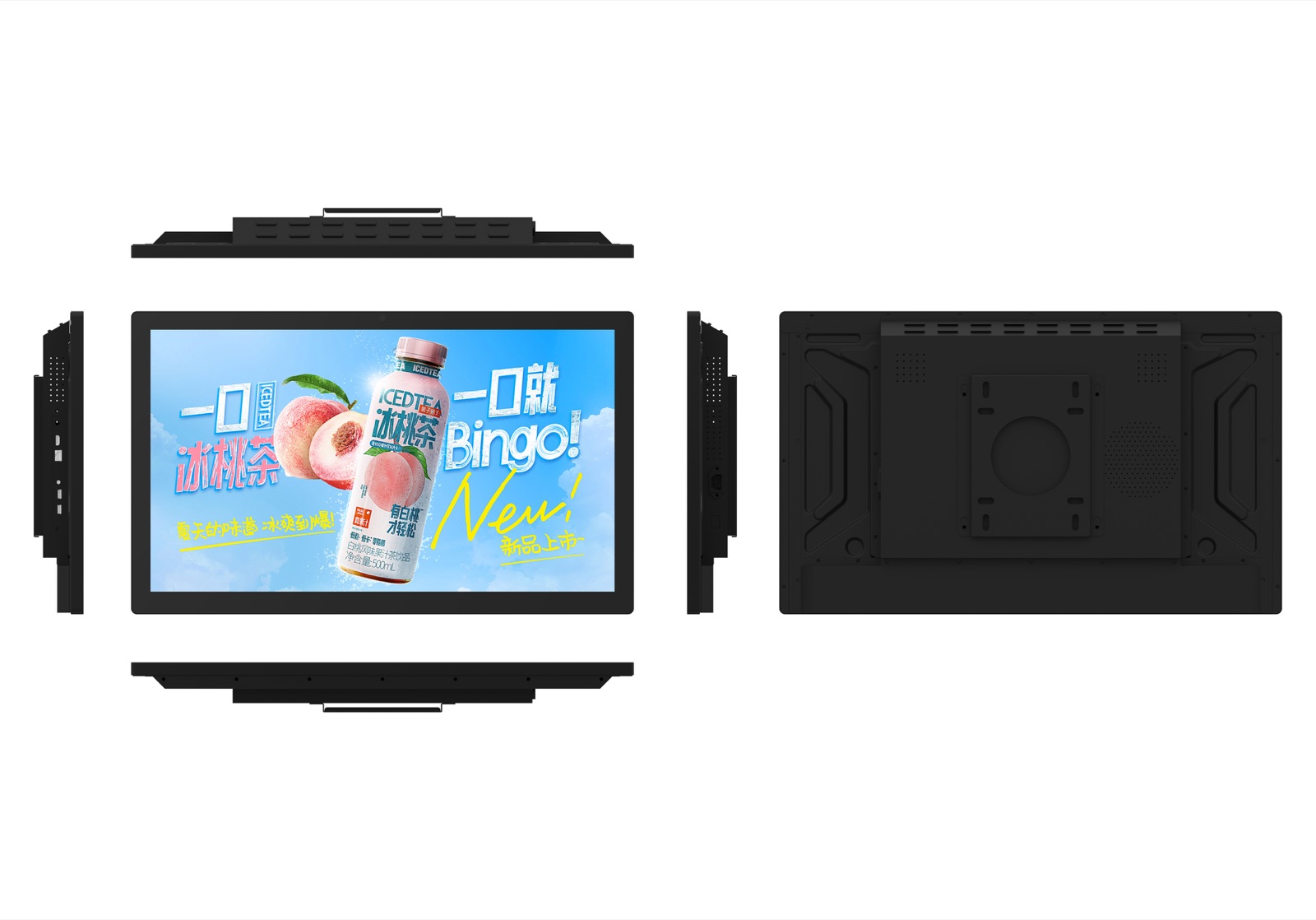
A useful rule of thumb: measure the distance between the screen and where a customer will stand, then pick a size where text stays readable without stepping closer. If people will be an arm's length away, a 65-inch panel is plenty. If they're browsing from across the room, go 86-inch or larger.
Brightness and anti-glare under store lighting
Store lighting is your biggest enemy. Rows of ceiling spots create reflections that can wash out a display and make touch targets hard to see.
Look for a panel with anti-glare tempered glass. Lonton panels use scratch-resistant glass with a MOHS 7 hardness rating, which matters when hundreds of customers a week are tapping and swiping. At 350 cd/m² these displays are built for indoor retail — bright enough for a store floor, with the anti-glare coating doing the work of cutting reflections rather than just cranking up backlight and running the panel hot.
One honest caveat: if your screen faces a floor-to-ceiling window with direct afternoon sun, no indoor-rated panel will fight that well. Position the display out of direct sunlight, or add window treatment. It's cheaper than chasing a brighter panel that also runs hotter and lasts fewer years.
Touch technology and glove-friendly operation
Retail staff often wear gloves — handling stock, cleaning, or working in a chilled section. That rules out capacitive touch, which needs bare-skin contact.
Infrared (IR) touch works differently. A 40-point infrared frame reads finger, stylus, and gloved input without any calibration, and it doesn't care about the moisture that makes capacitive screens glitch in humid or food-retail environments. For a store, IR is the more forgiving choice, and it's what Lonton panels use. Here's how infrared touch actually works.
Built to run from open to close
A classroom panel gets a few hours of use a day. A retail panel can run 12 hours straight, seven days a week. That's why commercial duty cycle matters.
Check three things:
- Commercial-grade panel, not a consumer TV. Consumer sets aren't rated for continuous use and will burn in or overheat.
- Reliable manufacturing. Look for real numbers rather than marketing claims. Lonton's lines run at a 98% first-pass yield and a 99.95% quality pass rate — the kind of figure that only comes from a factory that tests every unit before it ships.
- A genuine panel supplier. Lonton uses LG original LCD panels, which is a safer bet than an unbranded substitute when you're installing displays that need to last years.
Sourcing retail displays from the factory, not a reseller
Here's where the buying decision usually gets made. If you're a single store, a local AV reseller is fine. If you're a chain, a distributor network, or a brand putting your own name on the hardware, you want to talk to the factory directly.
Lonton has been manufacturing interactive displays since 2005, from a 100,000+ m² facility with 15 production lines and a 23,000 m² Class 10,000 cleanroom. For retail that means three things:
- Full size range — 65" through 110" in one place, so a chain can standardize on one vendor across flagship and neighborhood stores.
- OEM/ODM at the factory level — your logo on the bezel, your boot animation, your packaging. A retail brand rolling out displays under its own name can have that done on the line rather than through a middleman.
- Certifications already in place — CE, FCC, and RoHS, plus ISO 9001/14001/45001, so displays clear import compliance without extra paperwork. See which certifications matter for an IFP.
Get a quote for your retail rollout
If you're outfitting one store or planning a multi-branch rollout, we can quote the full range from 65-inch to 110-inch, with OEM branding if you need it. Send us your floor plan and store count, and we'll come back with sizes, pricing, and lead time.
Contact us for a quote | Browse interactive flat panels
Frequently asked questions
Can an interactive flat panel be used as digital signage?
Yes. Run it in signage mode to loop a promo video, then let a customer tap to browse the catalog. It's the same hardware doing two jobs, which is why retailers like it.
Do retail staff need training to use an interactive display?
Minimal. The interface is touch-based like a phone or tablet, and the panel needs no calibration. Most staff are comfortable within minutes; the bigger task is usually the content, not the hardware.
Can I manage displays across multiple stores from one place?
Yes. Content management systems let you push promotions, pricing, and catalogs to every store at once. When sourcing panels in bulk, ask the factory about OPS modules and network management so displays stay simple to update remotely.
How much does a retail interactive display cost?
It depends on size, quantity, and whether you need OEM branding. A 65-inch panel for a single store costs less than a 110-inch flagship model, and bulk orders drop the unit price. The fastest way to get a real number is to send your store count and sizes for a quote.
Do interactive flat panels work in humid or food-retail environments?
Infrared touch isn't affected by moisture the way capacitive screens are, so they're a solid choice for grocery, bakery, and food-service spaces.

