
 English
Hello everyone, today’s topic is: how to test the response speed of an interactive flat panel before purchasing it.
What Is the Response Speed of an Interactive Flat Panel?
What exactly is the response speed of an interactive flat panel?
You can think of an interactive flat panel as a large smart smartphone — when you touch and write on the screen, how fast it reacts to your actions is what we are talking about today: response speed.
To put it more directly:
your finger touches the screen → the machine reacts → the screen draws it
The total time of these three steps is what you actually feel as whether it is “following your hand” or not.
We know that a smooth touch experience is very important for both users and viewers.
Whether you are a teacher, a corporate trainer, a government staff member, or anyone who needs to write and present on a screen — a smooth interaction allows your thinking to flow continuously without being interrupted by lag; it also helps the audience get a better viewing experience.
So if you are planning to purchase interactive flat panels, this article is worth a few minutes of your time.
Let’s go through it step by step.

Why Does It Feel “Different” Before and After Purchase?!
Have you ever had this experience: you test an interactive flat panel in a showroom or with a salesperson, and everything feels smooth and responsive. The whole operation feels very fluent. You feel confident and then deploy 20 units for your project. But when you actually start using them, it suddenly feels “different” — writing is not as responsive as in the showroom, and switching to the whiteboard sometimes hesitates a bit.
Is this an illusion?
My answer is no — this is not your illusion. This is also a problem many other buyers run into. So what is actually causing it? Let’s continue.
What Actually Affects Response Speed?
There are three main factors that affect the speed of an interactive flat panel:
touch sampling speed, system processing capability, and display rendering performance.
1. Touch Sampling Speed
Simply put, this is whether the device can “know” your finger has touched the screen at the moment you touch it.
2. System Processing Capability
This is whether the system can keep up after it detects your input.
For system processing, not every factory seriously tunes this part — some just load a standard system image and ship the product.
LonTon is different here. After each batch of machines is assembled, firmware engineers tune it specifically based on that batch of hardware. If a batch of screens is slightly more sensitive, they reduce the threshold a bit. If there are small differences in motherboard power supply, they adjust the response logic accordingly.
This is why a unit in the showroom may feel fine, but after half a year of real use, it feels different — factory-level tuning directly affects every touch experience over the next 2–3 years.
3. Display Rendering Performance
This is whether the screen can actually draw what has already been calculated.
If any of these three parts is not well optimized, the experience will feel “not following your hand”.
Once you understand these factors, here are a few simple tests you can use immediately. You can do them in a showroom, at a factory, or even with a distributor. No equipment needed — just your fingers and a computer.
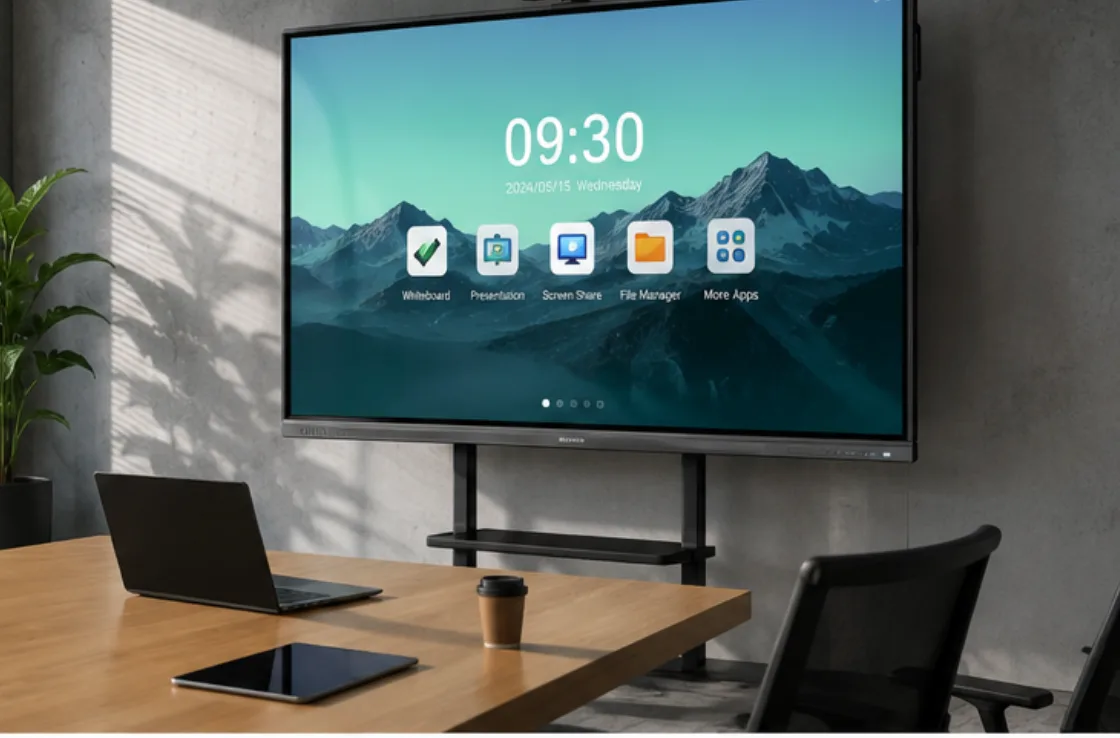
Three Simple Tests You Can Do Yourself
⦁ Test 1: normal writing
Don’t draw emojis or shapes — write names or real sentences. Check if the strokes follow your hand smoothly.
⦁ Test 2: make it busy
Open whiteboard and a web page at the same time and switch back and forth. See if there is any lag or hesitation.
⦁ Test 3: use your own software
Connect your laptop and run Teams / Zoom. This is the real-world scenario.
These tests are very simple, but they tell you whether the response is fast or slow in real use.
What Response Speed Do You Actually Need for Different Scenarios?
Different scenarios can choose different response speeds. You don’t need to pay extra for performance you won’t actually use.
Many people choose the wrong device because they only look at “specs”. But what really matters is whether the scenario can tolerate perceived delay — simply put, whether users can clearly feel “it’s a bit slow”.
In classrooms and regular meeting rooms, users mainly care about whether writing and switching are smooth. As long as the overall experience is stable, slight delay is usually acceptable. But in important client meetings or business presentation scenarios, any “half-beat delay” will be amplified and directly affects professional image and communication experience, so faster and more responsive performance is needed. In control rooms or high-intensity environments, not only low latency is required, but also long-term stability without lag or frame drops.
Common Mistakes You Should Avoid
- Treating spec sheets as experience reports:Touch points, CPU configuration, milliseconds — these numbers do not equal real smoothness. What really determines writing experience is the combined performance of touch, system, display, and software. A slightly higher millisecond value does not always mean slower performance. The key is whether you can actually feel a delay.
- Making decisions after testing only one showroom unit:Showroom machines are usually fresh, lightly loaded, and only running demo software. In real use, you will connect your own laptop, run Teams, and work for hours. The experience can be completely different. If you test, test a unit that has already run under real conditions for some time.
These two problems actually come down to the same point — you are trying to judge something that requires hands-on testing using only a spec sheet.
But you cannot test every single unit, especially when ordering dozens of units at once.
What LonTon does before shipment is exactly designed to solve this. Every batch of machines is not tested only by single metrics — it is tested under real usage scenarios. Classroom units run continuous whiteboard writing for an entire afternoon. Meeting room units run video calls while switching whiteboard tools. It’s not about whether the numbers pass — it’s about whether users feel even a slight lag during real use.
You don’t need to test every unit yourself. Someone has already done that for you.
So —
⦁ If you are a school, take a look at the [Smart Classroom Solution]. For teachers, a device that writes smoothly is the baseline.
⦁ If you are a business, take a look at the [Smart Meeting Room Solution]. Every presentation in front of clients matters.
⦁ If you are running training programs, take a look at the [Enterprise Training Room Solution]. Whether hundreds of pages of writing stay smooth from start to finish really matters.
Not sure what setup fits you?
Just tell us your scenario directly — we’ll help you figure it out.—Contact us

