
 English
AI is the loudest word in the interactive flat panel market right now, and a lot of the "AI features" being sold are closer to marketing than to anything a teacher will actually use. The trick is telling the useful AI from the demo-ware — because you will be paying for it either way.
This guide runs through the AI classroom features that genuinely earn their place in a school, the ones that rarely get used, and what actually makes a panel "AI-ready" under the hood.
The AI Features That Actually Earn Their Place in a Classroom
Handwriting Recognition and OCR
The most practical AI feature by far. A teacher writes on the board by hand, and the AI converts that handwriting into editable text — including formulas, shapes, and mixed Chinese and English. That one feature saves teachers from retyping notes after every lesson, which is why it is the first thing schools actually use. See what an AI-powered board actually does.
AI Teaching Assistant
An AI assistant that reads the current lesson and can generate questions, summarize key points, and explain concepts on the spot. For teachers under heavy prep load this is real time saved. The catch is to check whether the AI genuinely works from the lesson content, or just pulls generic templates. Ask the supplier for a live demo before you believe the label.
Real-Time Translation
If a school has foreign students, international classes, or bilingual teaching, live translation on the board is worth having. It is a feature you either need or you do not — there is no middle ground, so buy it only if your classroom actually has the use case.
Lesson Recording and Summary
Recording a lesson is useful on its own; the AI part is that it can also generate a summary and highlights, so students who missed a class can catch up without watching the full hour. That turns a plain recording into a study tool.
AI Features That Sound Impressive but Rarely Get Used
Some AI sells well in a demo and is almost never touched in a real classroom: voice-controlled everything, AI that writes an entire lesson plan from a one-line prompt, or gimmicky virtual assistants. They look great in a sales video and add cost, but teachers reach for them far less than vendors claim. If a feature only shows up in the marketing brochure, it should not show up in your budget.
What Actually Makes a Panel "AI-Ready"
AI features do not run on a badge — they run on hardware. Before you trust a panel's AI claims, check three things:
- Processor. AI handwriting and assistant features want an octa-core chip. Lonton runs its panels on the RK3576 octa-core processor, which is built for exactly this kind of on-device AI.
- Memory. AI models are memory-hungry. 8GB RAM is the practical floor for a panel that will run AI features smoothly, paired with 128GB of storage.
- Camera and microphone. A 48MP AI camera and a microphone array are what make handwriting capture, voice input, and video AI possible. Without them, half the AI features have no input to work from. Read where interactive flat panel tech is heading in 2026.
What to Ask Before You Buy
Three questions separate a real AI panel from a labeled one:
- Which AI features are built in, and which are a paid add-on or a future update?
- Is the AI software included, or is there a subscription?
- Can they demo the AI running on the exact configuration you are buying, not a flagship prototype?
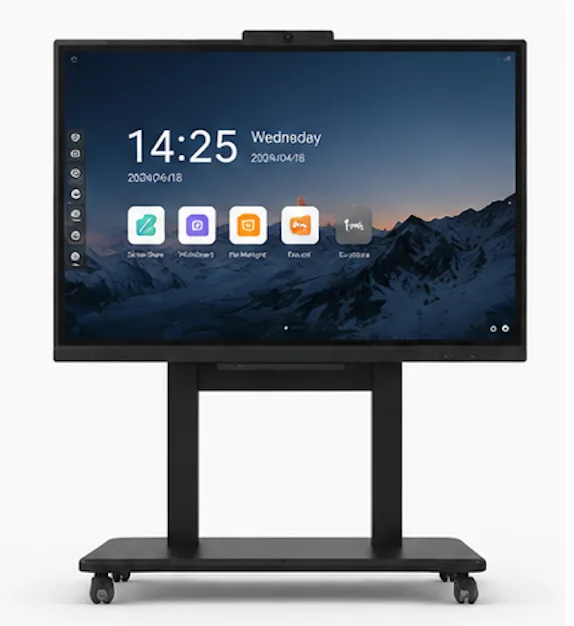
Lonton ships its interactive flat panels with AI teaching software built in — handwriting OCR, AI assistant, translation, and lesson recording — running on the RK3576 octa-core with 8GB RAM and a 48MP camera, so the AI works out of the box rather than as a checkbox. See what software comes with a smart board.
Get a Panel That Is Actually AI-Ready
If you are outfitting classrooms and want the AI to be a real teaching tool rather than a spec-sheet bullet, tell us your sizes and quantities. We will quote a configuration with the AI features that matter, running on hardware that can actually handle them.
Contact us for AI-ready panel pricing | Browse interactive flat panels
Frequently Asked Questions
What AI features should an interactive flat panel have?
Handwriting recognition and OCR, an AI teaching assistant, real-time translation, and lesson recording with summary are the features schools actually use. The rest is often marketing.
Do I need special hardware for AI on an interactive flat panel?
Yes. Look for an octa-core processor, at least 8GB RAM, and a good camera plus microphone array — AI features depend on all three.
Is the AI software free or a paid add-on?
It varies by supplier. Ask explicitly. Lonton includes AI teaching software with the panel, with no separate subscription.
Can an interactive flat panel translate lessons in real time?
Yes, many AI-enabled panels support live translation, which is useful for international and bilingual classrooms.
Is AI worth paying extra for in a classroom display?
Only if the features are practical — handwriting OCR and lesson summary save real teacher time. Avoid paying for demo-ware you will never use.

