
 English
What Are Interactive Flat Panel Displays? A Practical Guide (2026)
You have probably seen one without knowing what it was called. A large screen mounted on a conference room wall — someone walks up, touches it, and starts writing. Or a classroom where the teacher pulls up a video, pauses it, circles something on the screen with a finger, and keeps teaching. That is an interactive flat panel display. And if you are reading this, you are either considering buying one or trying to figure out whether it is worth the cost.
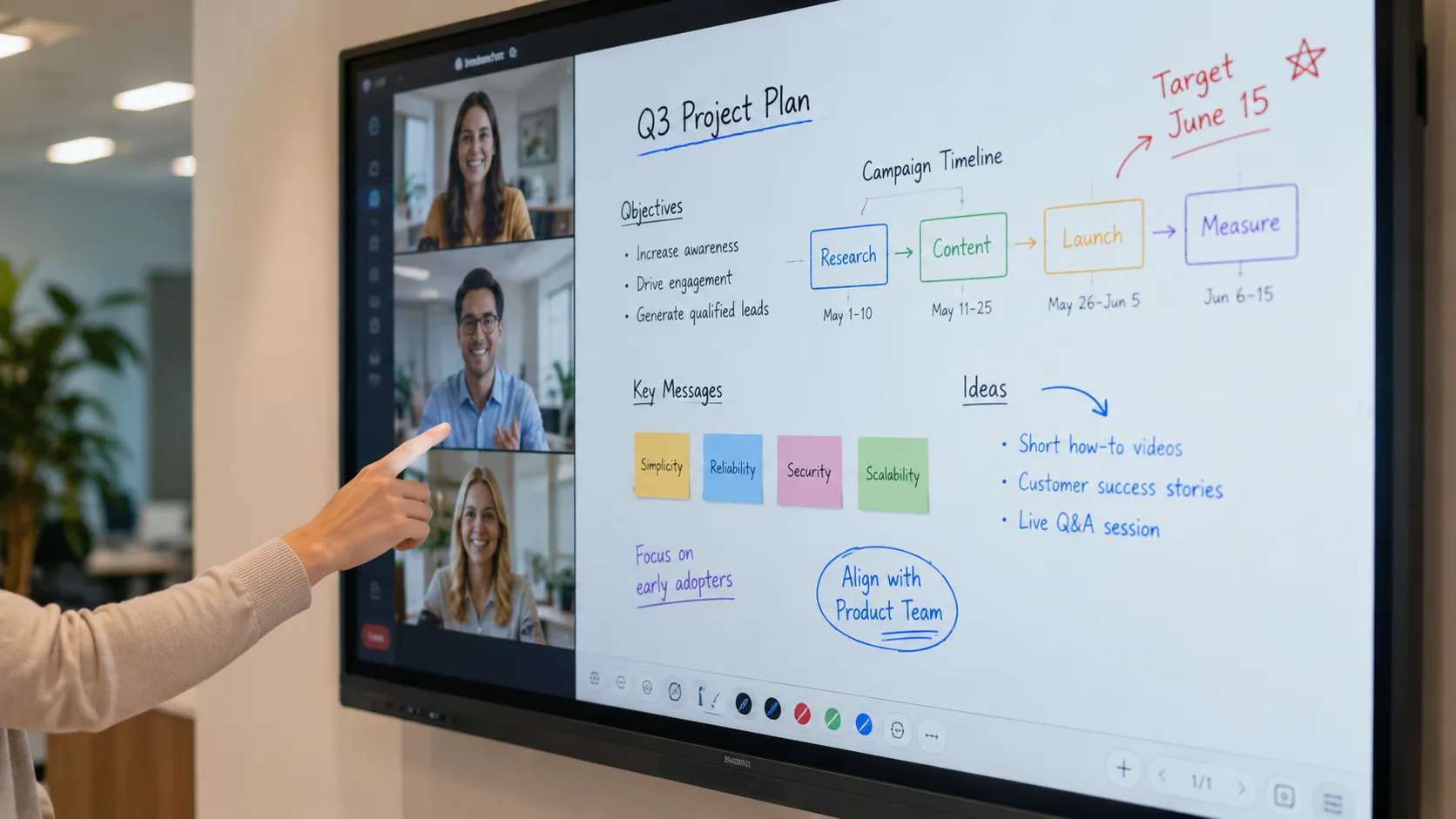
Interactive flat panel displays are large touchscreen monitors — think of a giant tablet mounted on a wall or a mobile stand. They combine a display, a touch sensor, built-in speakers, and usually an onboard computer into one device. No projector. No separate whiteboard. No cable spaghetti connecting five different boxes. Just one panel, one power cord, and whatever content you need on the screen in seconds.

What They Replace, and Why It Matters
Walk into a meeting room that still uses a projector and you will notice the same friction every time. Someone spends the first five minutes finding the right cable or adapter. The lights go down so the image is visible. The person sitting farthest from the screen squints. If someone wants to annotate a slide, they walk to a separate whiteboard and redraw what is already on the screen.
An interactive flat panel display removes that friction. The screen is bright enough to keep the lights on. Wireless sharing means anyone connects in seconds — laptop, tablet, phone. The touch layer lets you write directly on the content. When the meeting ends, you save the annotated file and send it to everyone who attended.
The same shift is happening in classrooms. A projector and a pull-down screen worked for decades, but they came with the same trade-offs: dim the lights, replace the bulb, deal with the glare. An interactive flat panel lets a teacher keep the room bright, pull up resources on the fly, and let students interact with the lesson instead of just watching it.
The Two Main Places You See Them
Conference rooms are the most common setting. From huddle spaces seating four people to boardrooms seating twenty, the panel becomes the single piece of hardware everyone looks at during a meeting. Presentations, video calls, whiteboarding sessions, collaborative document editing — one device handles all of it.
Classrooms are the other major use case. A teacher stands at the front and writes on the screen like a whiteboard. A student walks up and solves a math problem while the class watches. A video plays. A map gets zoomed and annotated. The panel does not replace the teacher — it removes the barriers between the teacher, the material, and the students.
Government offices, training centers, hospital conference rooms, and corporate lobbies use them too. Any space where people need to see content together and occasionally interact with it benefits from a single large touchscreen instead of a projector-plus-whiteboard-plus-computer setup.
What Decides the Price
Screen size is the biggest factor. A 55-inch panel costs less than a 65-inch, which costs less than a 75-inch, which costs less than an 86-inch. The jump is not linear — going from 75 to 86 inches costs more than going from 55 to 65.
Touch technology is the next driver. Infrared touch uses LED beams across the screen surface and registers anything that breaks them. It handles multiple people writing at the same time and costs less, especially at larger sizes. Capacitive touch feels like a smartphone screen — smooth, responsive, pinch-to-zoom — but costs more. Most conference rooms and classrooms use infrared. Spaces that need the premium touch feel may opt for capacitive.
Built-in computing, camera modules, mobile stands, wireless sharing licenses — every addition moves the price. A basic 55-inch interactive flat panel can start around $500 at the entry level, and the price climbs from there based on size, touch technology, and configuration.
As a manufacturer, LonTon builds interactive flat panel displays in both infrared and capacitive touch across the full size range. When a buyer asks us for a quote, the first thing we ask is what the room looks like — how many people, how far the furthest seat is, what kind of content gets shared. The configuration follows the room, not the other way around.
What to Check Before You Buy
If you are comparing panels, ask about wireless sharing. Does the panel support AirPlay, Google Cast, and Miracast simultaneously, or only one protocol? A panel that only works with one type of device is a panel that someone in your organization will not be able to connect to.
Ask about the glass. Standard glossy screens turn into mirrors under ceiling lights. Etched anti-glare glass costs more, but the treatment is part of the glass — it lasts the life of the panel, unlike spray-on coatings.
Ask about sound. Built-in speakers are fine for a huddle room. A large conference room or classroom needs external audio. Know which one your space requires before you order.
Ask about installation. A wall mount is cheaper but permanent. A mobile stand costs more but lets you move the panel between rooms. And check that your wall can hold the panel — a 75-inch display is heavy, and drywall alone will not carry it.
The Panel Earns Its Place by Getting Used
Interactive flat panel displays are not complicated technology. They are a screen, a touch sensor, a computer, and speakers in one box. What makes them worth the investment is that they remove the small frictions that eat into meeting time and lesson time — the cable hunt, the dimmed lights, the separate whiteboard, the bulb replacement.
If you are outfitting a conference room, a classroom, or a whole building, tell LonTon about your space. Room dimensions, number of people, how the room gets used. We will recommend the right size, touch technology, and configuration for your setup. Click the inquiry button below and let us talk through it. We are happy to help.

