English
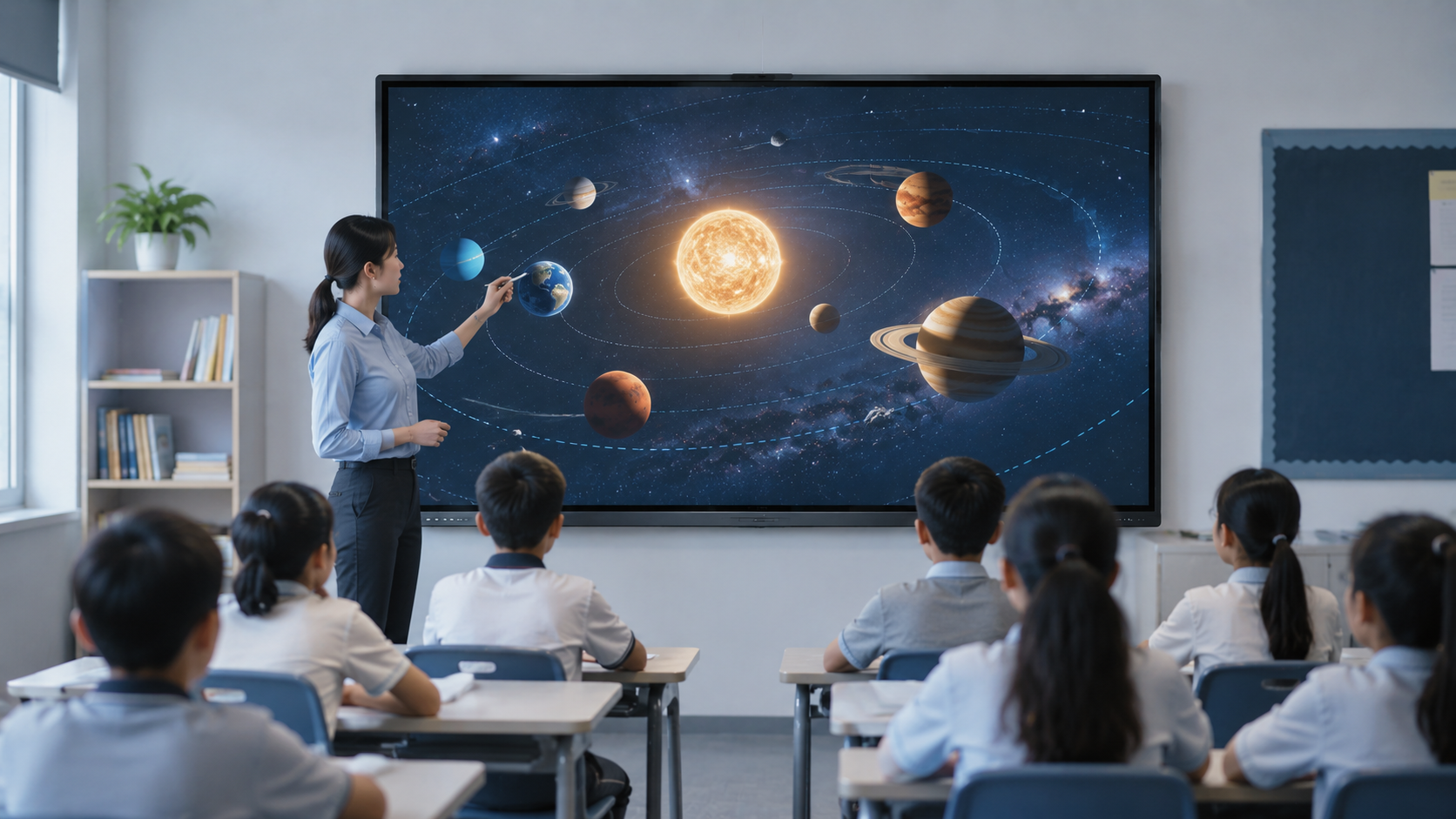
If you are a teacher and your teaching tool is a projector, you have probably faced this scene: the classroom lights go down, the blinds are drawn, and half the students in the back row still cannot read the faded text on the screen. The projector bulb dims a little more every month, the replacement costs a few hundred dollars, and the lesson plan you spent Sunday evening preparing looks washed out and uninspiring. Now imagine that same lesson with a different tool. Instead of a dim projector screen, you have a bright 4K display that the entire classroom can see with the lights on. Instead of pointing at a slide from your desk, you are writing on the screen, pulling up a video, saving the annotations, and sharing the file with absent students — all without switching devices. That is what an interactive smart board for classrooms changes. It replaces how you teach.
An interactive smart board for a classroom is not a giant iPad bolted to the wall. Multiple students write on the screen at the same time — fingers, styluses, whatever is in their hands. The built-in computer runs lesson software, plays videos, pulls up web pages. It handles six periods a day, every day, for five years. No bulb to replace. No calibration routine that eats the first ten minutes of first period. A projector is a consumable — you budget for its death. A smart board is infrastructure. You install it and you teach.
What trips up most first-time buyers is focusing on the spec sheet instead of the classroom. Touch points, resolution, Android version — all of that matters, but it matters less than two things the spec sheet does not tell you: whether the screen is visible from the back row with the classroom lights on, and whether a teacher with ten minutes between periods can walk in and start the lesson without calling IT.

What Size for Your Classroom
As we all know, the most important factors that affects students’ viewing experience in the classroom is the screen size. When choosing an interactive flat panel for a classroom, buyers should not only consider the price or appearance, but also the classroom size, number of students, and viewing distance.
For a small classroom of around 20–25 square meters with 10–15 students, a 65-inch to 75-inch interactive flat panel is usually enough for daily teaching, allowing students in both the front and back rows to see the content clearly. For a medium-sized classroom of around 30–40 square meters with 20–30 students, a 75-inch to 86-inch panel is more recommended, as it provides a larger display area and a more comfortable viewing experience for text, images, and lesson materials. For large classrooms or training rooms over 40 square meters with more than 30 students, an 86-inch or larger interactive display is usually a better choice, helping students in the back rows clearly see words, charts, and presentation content on the screen.
Infrared vs Capacitive: Which Touch Technology
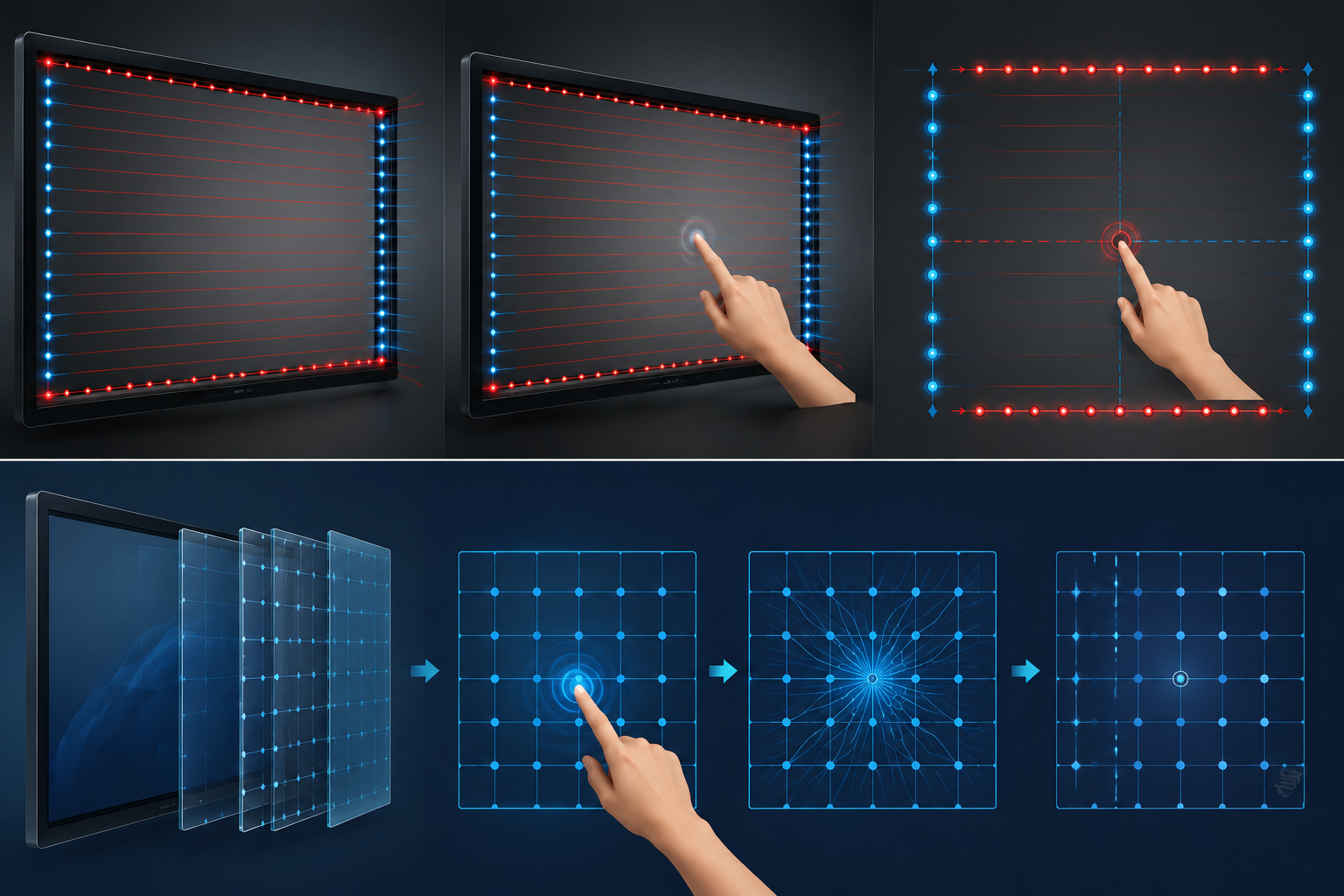
Touch technology also affects the classroom experience.Touch technology splits into two paths, and schools usually pick infrared. Infrared touch uses a grid of LED beams across the screen surface. Anything that breaks the beam — finger, stylus, ruler, pointer — registers as a touch. It handles 20-40 simultaneous touch points, which means multiple students can write at the board together. Capacitive touch, the kind on your phone, feels smoother but only responds to bare fingers and special pens. In a classroom, infrared touch technology is usually more durable and cost-effective.

The Glare Problem Most taechers Miss
Since students need to look at the interactive flat panel for extended periods, the panel’s anti-glare feature is also extremely important. Standard glossy glass turns a smart board into a mirror the moment sunlight hits it. Classrooms have windows. The lights stay on all day. Anti-glare coating is not a nice-to-have. It is the difference between students seeing the lesson and students seeing their own reflection. Like professional manufacturer—LonTon provides schools with interactive flat panels equipped with anti-glare and anti-reflective glass. This helps reduce screen reflections caused by classroom lighting or natural light from windows. As a result, students can view the screen more clearly from different angles without struggling to see text, images, or lesson materials. For classrooms where teachers and students use the display for long periods, this not only improves the viewing experience but also helps reduce eye strain, making teaching more comfortable and efficient.
The Software That Actually Matters
For an interactive smart board for classroom use, the built-in apps are just as important as the hardware itself. Good teaching apps allow teachers to open lesson materials, write notes, annotate content, share screens, and save classroom notes more easily, making the whole teaching process smoother and more efficient. The board runs Android, which means access to the Google Play Store and every education app that runs on it. But the built-in whiteboard app matters more than any download. A good whiteboard app can write, annotate over web pages and PDFs, save the board as a file, and share it with absent students — all without switching between three different apps. If the built-in whiteboard feels like an afterthought, you will stop using it by week two. Test the whiteboard app before you buy the board.
Wireless Screen Sharing That Works
When teaching students, you may want to share content from your laptops or other smart devices to the interactive flat panel. This is where wireless screen sharing becomes especially useful. With a convenient wireless screen sharing function, you can quickly cast your content to the display, write and annotate directly on the screen, and continue the lesson without complicated cables or setup. After the class, important notes can be saved and taken away simply by scanning a QR code. This greatly saves time for both teachers and students, making the classroom more efficient and interactive. LonTon’s panels come with EShare pre-installed. Simply walk in, scan the QR code, and your content appears instantly on the screen.
A Smart Board Built for Classrooms
The interactive smart board for classroom decision is not about picking the highest number on a spec sheet. It means finding hardware that survives Monday through Friday without a support ticket, software that you can figure out in 30 seconds, and a screen that the kid in the back corner can read without squinting.
Whether you are a school administrator planning a district rollout or a teacher advocating for your classroom, we are happy to walk you through what an interactive smart board setup actually looks like. You tell us the room. We will tell you what fits. The process starts the same way: tell us your room sizes, your grade levels, and what you are replacing. LonTon has been manufacturing interactive flat panels since 2005, and we will put together a configuration that fits your classrooms and your budget — no boilerplate quote, no hidden costs. Click the inquiry button below.