
 English
Interactive Flat Panel vs Digital Signage: Which to Choose?
A buyer asked me this the other week: "I need a big screen for our lobby, but I might also want people to touch it. Do I buy an interactive flat panel or a digital signage display?" It's a common question, and the answer is simpler than most sales pages make it sound — but only once you know what each one is actually for.
The two products look almost identical on a spec sheet. Both are large-format LCD panels. Both mount on a wall or a stand. But they're built for different jobs, and buying the wrong one means either paying for touch you never use, or missing the touch you needed.
What each one is actually for
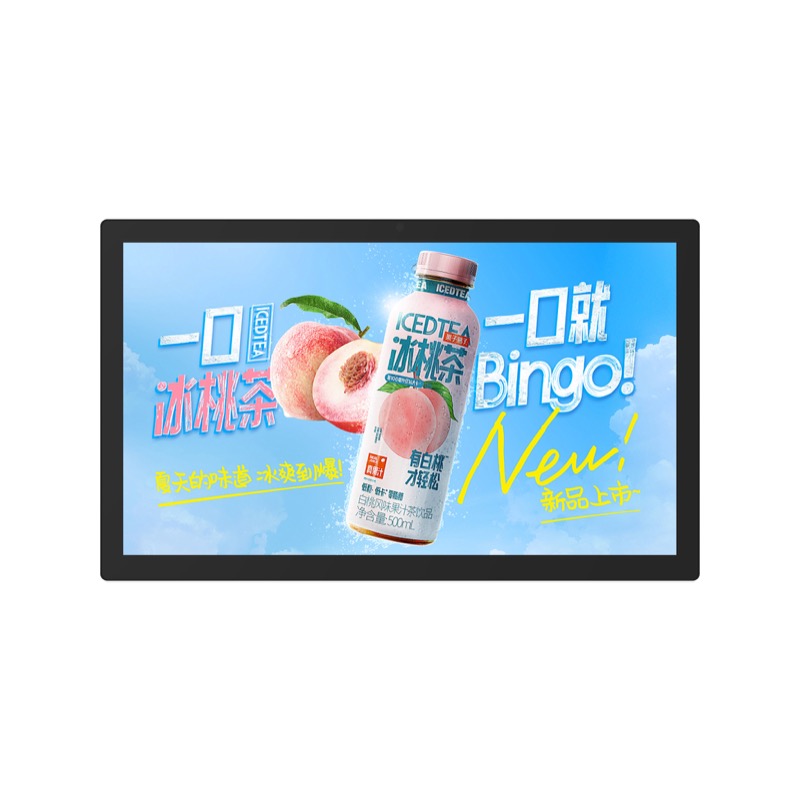
A digital signage display is built to show content — menus, promotions, wayfinding, a welcome screen, a schedule. It plays on a loop, usually from a small media player or over the network. No one touches it. The display just runs, day in and day out, and the value is in uptime and brightness.
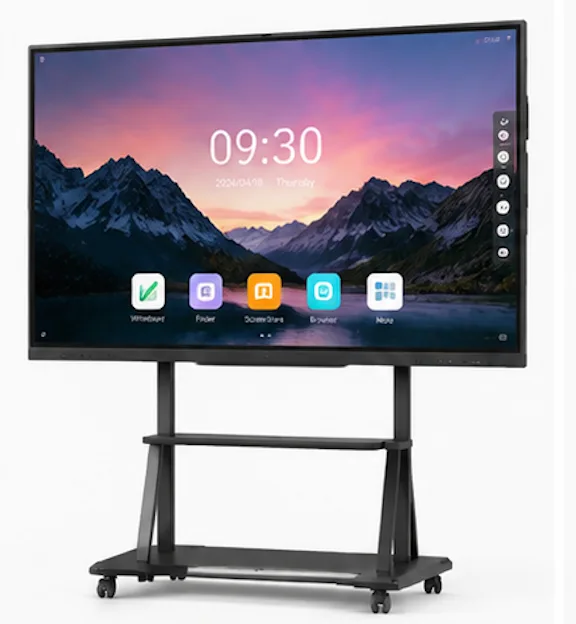
An interactive flat panel is built to be used. People write on it, tap it, open apps, join video calls, annotate over slides. The touch surface is the whole point. It runs a full operating system — Android, and usually an optional Windows OPS slot — so it's closer to a large tablet than to a screen.
The core differences
| Digital signage | Interactive flat panel | |
|---|---|---|
| Primary job | Show content on a loop | Let people write, tap and collaborate |
| Touch | Usually none | 40-point infrared touch |
| Operating system | Media player or SoC | Android 13 + optional Windows OPS |
| Price for a given size | Lower | Higher (touch + computing) |
| Typical placement | Lobby, retail, corridors | Classroom, meeting room, training room |
The price gap is the first thing buyers notice. Touch and an onboard computer add real cost, so an interactive flat panel runs more than a signage display of the same size. That gap is money wasted if the screen will never be touched.
When a digital signage display is the right call
If the screen is going to show a menu, a price board, a directory, a promotional loop or a wayfinding map — and nobody will ever interact with it — buy signage. You get a brighter, cheaper, purpose-built panel that's designed to run 24/7 without attention. For these jobs, touch is dead weight, and comparing signage to a full interactive panel is like the difference between a billboard and a whiteboard. It's the same logic we apply when we look at how LED video walls compare to projection — the right tool depends entirely on the job.
When an interactive flat panel is the right call
If anyone will write, tap, open apps, join a meeting or annotate over content, buy the interactive panel. A classroom, meeting room, training center or huddle space all fall into this camp. The moment a teacher or presenter needs to draw, circle or drag something, a signage display becomes a very expensive TV. And retrofitting touch onto a non-touch panel later usually costs more than buying the right panel up front. If you're weighing a panel against the alternative, we've covered how interactive flat panels compare to projectors in the classroom.
The overlap — and where buyers get confused
The confusion comes from the middle ground. Some lobbies want a touch kiosk. Some meeting rooms want a screen that mostly displays a dashboard but occasionally gets marked up. When you're in that middle, the honest question is: how often will someone actually touch it?
If the answer is "every day," get the interactive flat panel. If the answer is "a few times a year," a signage display with a separate touch option — or a smaller interactive panel placed where it's actually used — is usually the smarter spend. Don't pay for 40-point touch that two people use twice a year.
How Lonton fits both use cases
This is where buying from a manufacturer with a full product line helps, because you're not being steered toward one product by a sales rep who only sells one thing. Lonton builds both: interactive flat panels from 65" to 110" with 40-point infrared touch and Android 13 plus an OPS slot, and wall-mounted digital signage displays for content that just needs to run. Both come factory-direct, so the pricing reflects what the panel actually is — not a markup for features you don't need.
If you're not sure which one your space needs, contact us with the room and how it'll be used, and we'll tell you straight which panel fits — and what it should cost. You can also compare the interactive flat panel range to see sizes and specs side by side.
FAQ
Is an interactive flat panel the same as digital signage?
No. Digital signage shows content on a loop and usually has no touch. An interactive flat panel is built for touch, writing and collaboration, and runs a full operating system.
Which costs more, interactive flat panel or digital signage?
An interactive flat panel costs more for the same size, because it adds a 40-point touch surface and an onboard computer.
Can I use a digital signage display as a smart board?
Not really. Most signage displays have no touch, and retrofitting touch usually costs more than buying an interactive panel up front.
Can an interactive flat panel work as digital signage?
Yes — you can run signage software on an interactive flat panel. It's a more expensive way to do it, but it works if you want the option to interact later.
What size should I choose?
Match the size to the room and viewing distance. For a lobby you're watching from across the room, go bigger; for a meeting room where people sit close, a 65" or 75" panel is usually enough.

