
 English
Interactive Whiteboard for Students: Getting Every Kid to the Board (2026)
You know the difference between a classroom where kids stare out the window and one where they cannot wait to get to the board. The first room has a projector and a pull-down screen. The teacher shows. Students watch. Maybe a few take notes. The second room has something that invites them up.
That something is an interactive whiteboard for students — and if you are here, you are probably trying to figure out what actually makes it work for your kids.
Size and Height: Can Your Students Reach It?
Most buyers skip this part. If you are buying for younger students, the board has to go low. A first grader cannot reach the top of a screen mounted at standard height. They stretch. They give up. The board becomes the teacher's tool, not theirs.
For older students, height matters less, but screen size takes over. How far is your back row from the board? A small classroom with a small group works fine with 65 inches. A standard K-12 classroom with a full class needs at least 75. The kid in the back row needs to see the same thing as the kid standing at the board. Measure that distance before you pick a size.
Touch: Your Students Are Harder on Screens Than You Think
You have seen it. A kid walks up to the board and jabs it. Another leans on it while reaching for a marker. A third writes so hard you can hear the impact from across the room. They are not being careless. They are being students.
Infrared touch handles this because anything that breaks the beam — finger, stylus, dry-erase marker — registers. It lets multiple kids write at the same time. For most classrooms, this is the practical choice.
But the real test is lag. If the ink trails behind their hand, they stop writing. Then they stop trying. Before you buy, put an actual student in front of the board and watch what happens. You will learn more in thirty seconds than from any spec sheet.
LonTon offers both infrared and capacitive touch. The right one depends on your grade levels and how your students use the board — not on what happens to be sitting in a warehouse.
Software: What Keeps Them Coming Back
You can have the best hardware in the district. If the software only gives your teachers a blank whiteboard and a web browser, the board turns into a projector screen with extra steps.
What you want is software that gives teachers a reason to use it. Drag-and-drop activities. Quiz games where the whole class plays from their seats. Collaborative canvases where three kids work on the same problem at once. An interactive whiteboard for students earns its spot on the wall when teachers actually look forward to using it — not when someone in purchasing checks a box.
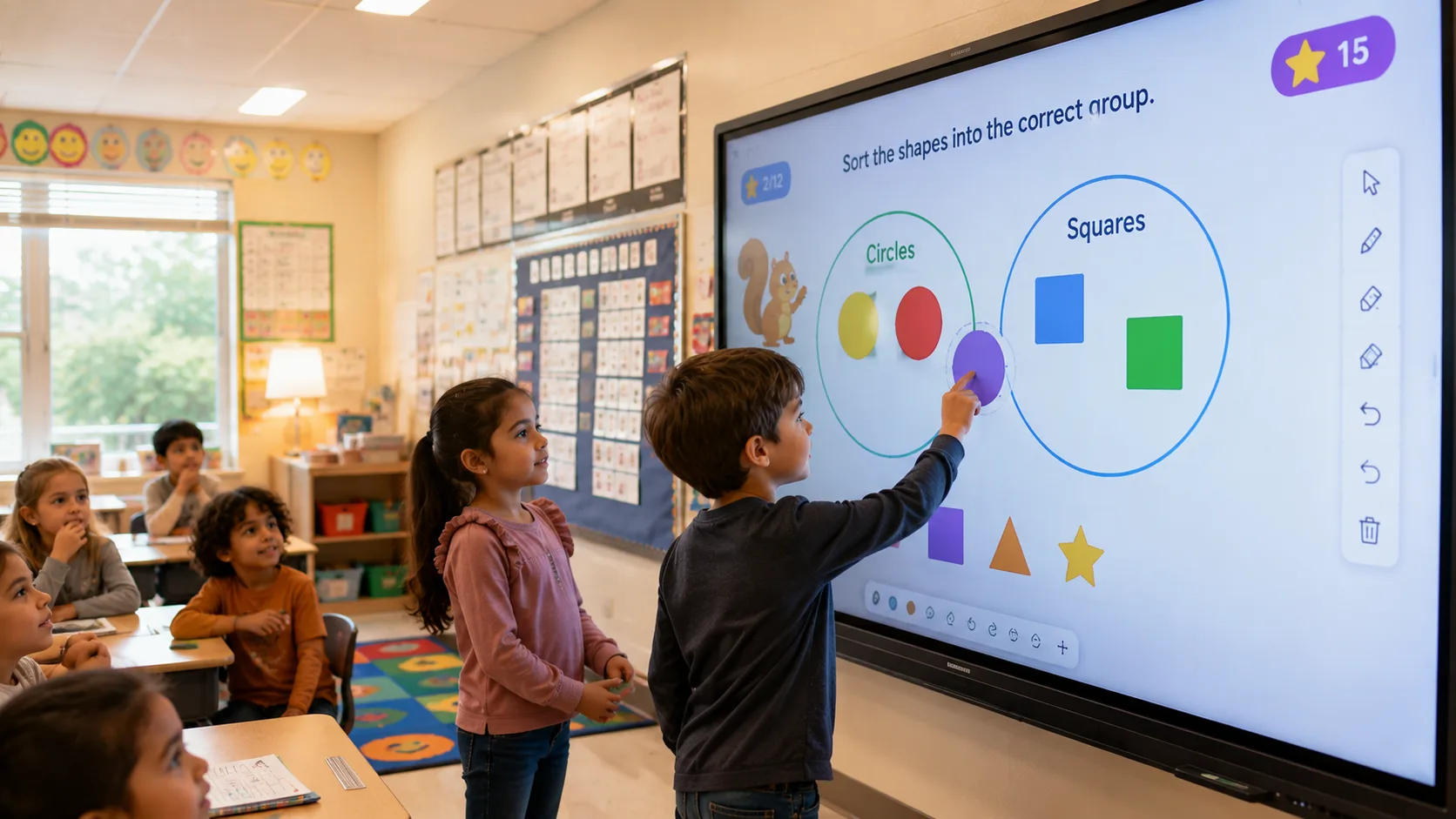
Here is the bottom line. You are not buying a screen. You are buying a reason for kids to get out of their seats and walk to the front of the room. The interactive whiteboard for students that works is the one that fits your kids — size they can reach, touch that keeps up, software your teachers want to open. LonTon builds classroom boards that way: infrared or capacitive, sizes matched to your rooms, wireless sharing so a student can cast their tablet to the board without leaving their desk. Tell us about your classrooms — grade levels, room sizes, how your teachers run lessons — and we will help you figure out a setup that fits. Click the button and let us talk.

