English
Built-in Camera & Microphone vs Buying Separately: What Makes a Meeting Room Ready?
Picture this. You have a video call in five minutes with a client in another country. You walk into the meeting room, close the door, and reach for the remote. The display turns on. The camera sitting on top of it? It slid off overnight and is dangling by its USB cable. The speakerphone on the table is out of battery because the last person forgot to plug it back in. You crouch behind the cabinet, find an open USB port, plug everything back in, and join the call two minutes late, slightly out of breath, hoping the client didn't notice.
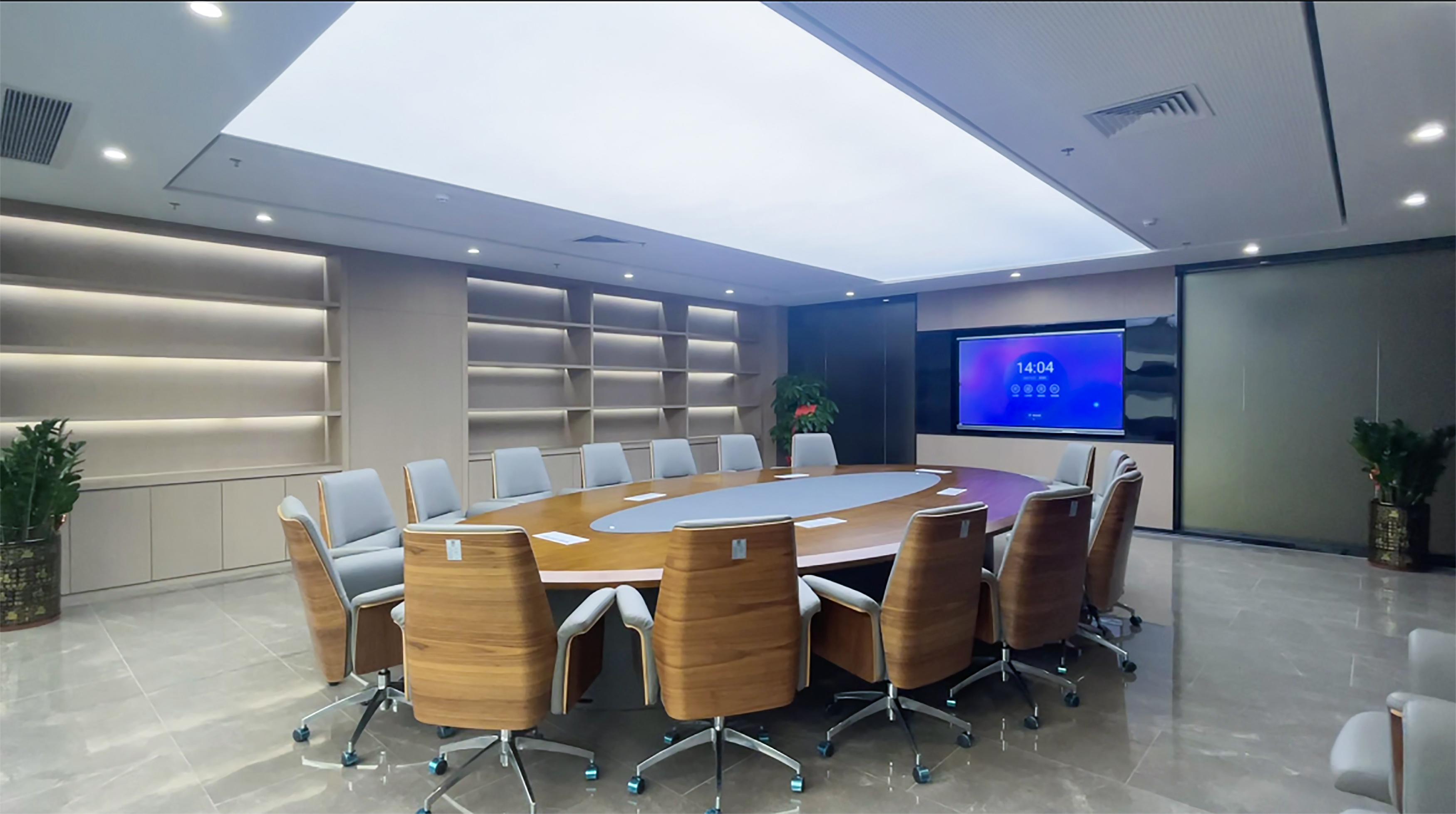
Now picture a different room. You walk in. The smart board wakes up when it senses motion. The camera is built into the top bezel, always aimed, always connected. The microphone array is embedded across the front, so it picks up everyone at the table without a puck in the middle. You tap one button, join the call, and you're talking. The whole thing took ten seconds.
This is the difference between buying a built-in camera and microphone integrated into your interactive flat panel, versus buying them as separate peripherals. It's not a spec sheet conversation. It's a daily experience conversation.
The Separate Peripherals Route
Buying a camera and microphone separately gives you choice. You can pick a 4K webcam from one brand, a professional speakerphone from another, and mount them however you like. If a better camera launches next year, you upgrade just the camera. If the microphone stops working, you replace it without touching the display.
There's a reason a lot of IT teams like this approach: it's modular. Each piece is a known quantity with its own warranty and support channel. No vendor lock-in. No single point of failure that takes down the whole room.
But that modularity comes with daily friction.
Every separate device needs power. The camera needs a USB cable running from the display or a wall outlet. The speakerphone needs either a Bluetooth connection or its own USB port. If you're using a wired connection, you're now managing two or three cables just for audio and video — before you've even plugged in a laptop.
And then there's the human factor. Separate devices get moved. Someone unplugs the camera to use it in another room and forgets to bring it back. The speakerphone walks off to someone's desk for a personal call. Over time, the meeting room slowly loses its pieces, and nobody notices until the next video call starts and the remote participants say "we can't see you."
The Built-in Approach
A smart board with an integrated camera and microphone array solves this by removing the pieces entirely.
The camera sits flush in the top bezel. It doesn't move, doesn't need a cable, and doesn't walk away. Most built-in cameras today offer 48MP resolution with a wide-angle lens — enough to capture everyone at a 15-person table without fisheye distortion. The microphone array uses four to eight beamforming mics spread across the front of the board, which means it picks up voices from anywhere in the room without a puck on the table. Some systems even track who's speaking and automatically frame the active speaker.
The audio experience in particular is hard to replicate with a separate speakerphone. A speakerphone sits on the table, and its pickup range is limited by its position. Someone at the far end speaks softly? They barely register. The air conditioner kicks on? The speakerphone picks up the noise because it's right there in the middle of the room. A built-in array, by contrast, uses beamforming to focus on voices and filter out ambient sound — the kind of signal processing usually found in high-end conference systems, now embedded in the display itself.

The Cost Picture
On a line-item basis, buying a separate camera and speakerphone usually looks cheaper. A good 4K webcam runs $150 to $300. A decent conference speakerphone is another $200 to $400. That's $350 to $700 total — less than the $400 to $600 premium that a built-in system adds to a smart board's price.
But that's only the hardware. Add in the cables, the mounts, and the time someone spends setting it all up and keeping it working — and the gap narrows quickly. A loose USB cable that disconnects mid-call costs far more in lost credibility than the $50 saved on peripherals.
More importantly, the built-in system eliminates the "missing piece" problem. Every meeting room in your organization is identically equipped. No room is the "bad room" where the camera doesn't work. No room is avoided because someone took the speakerphone. Consistency across rooms has real value for organizations that run a lot of video meetings.
When Separate Still Makes Sense
There are scenarios where a dedicated external setup is the better choice. Large boardrooms seating 25 or more may need a professional PTZ camera with optical zoom and a ceiling-mounted microphone array — the kind of equipment that no built-in system can match. Broadcast studios, training rooms that record for on-demand playback, and spaces with unusual layouts also benefit from the flexibility of external gear.
For these rooms, the built-in system on a smart board serves as the everyday option, while the professional gear handles the high-stakes meetings. The two aren't mutually exclusive.
For standard meeting rooms, huddle spaces, and classrooms — rooms where people want to walk in and start talking without a pre-flight checklist — built-in is the cleaner, more reliable answer.
How LonTon Handles Integration
LonTon takes a different approach to the camera and microphone question. We don't hand you a spec sheet and ask you to figure it out yourself. You tell us about your meeting rooms — how big they are, how many people sit at the table, what kind of video calls you run — and we work out the right configuration with you.
Every interactive flat panel can be set up with the camera inside the bezel or as an external module. If your team wants the clean, walk-in-and-start-talking experience, the built-in 48MP wide-angle camera and eight-microphone beamforming array deliver exactly that — everything embedded, powered, and calibrated out of the box. If your rooms need the flexibility of an external camera — maybe you want to upgrade imaging independently down the road, or your room layout calls for a specific camera position — we configure the display for that instead. The same onboard audio processing handles beamforming and noise suppression regardless of where the imaging module sits, so you're not trading audio quality for camera flexibility.
Either way, you're not left to shop for peripherals on your own, and you're not stuck with a configuration that doesn't fit. The goal is always the same: a meeting room where the technology disappears and the conversation just works.

What Matters at the End of the Day
A meeting room's job is to make remote participants feel like they're in the room. Every piece of visible technology — a webcam clipped to a display, a speakerphone in the center of the table, a tangle of cables — is a reminder that they're not.
The choice between a built-in camera and microphone and buying separate peripherals ultimately comes down to what you want people to notice when they walk in. Do you want them to notice the equipment, or do you want them to notice how natural the conversation feels?
If you're setting up meeting rooms or classrooms and trying to figure out what makes sense for your space, we're happy to help. LonTon works with schools, offices, and training centers to configure interactive flat panels that are ready to go out of the box — no peripheral shopping required. Tell us about your rooms and what kind of meetings you run, and we'll help you work out the right setup.